

Published: 20 November 2026 | Last updated: 20 November 2026
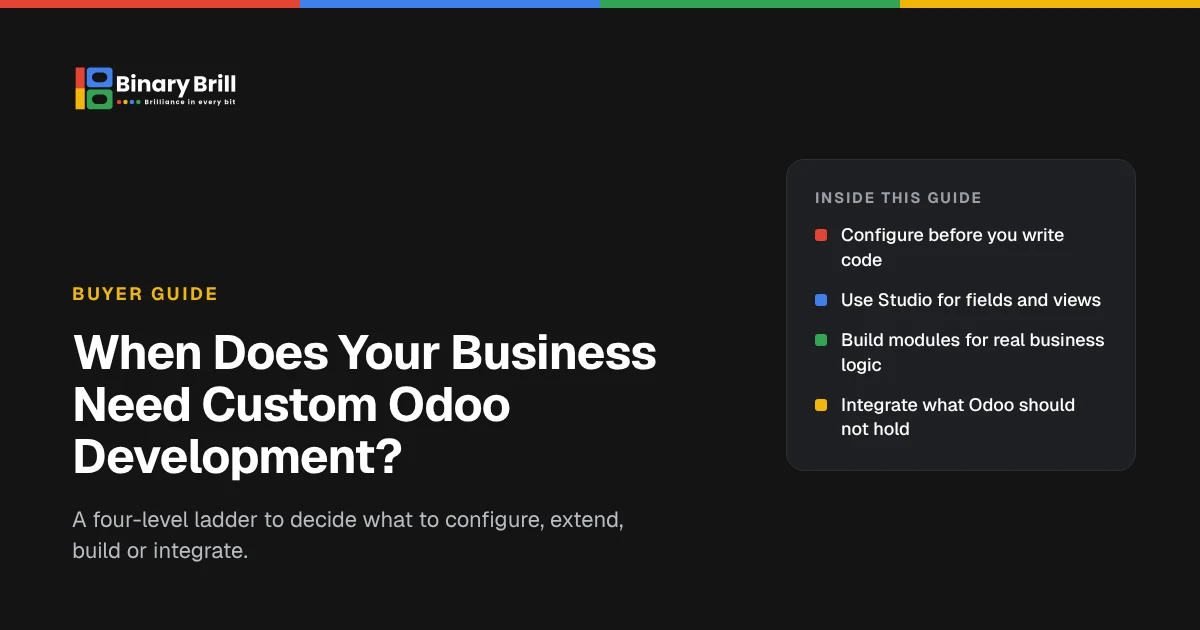
- Configure before you code: most gaps are solved by standard settings, apps or user rights, not new modules.
- Studio handles surface changes: use it for fields, views and simple rules, but stop when actions start chaining.
- Build modules for real logic: custom code pays off for high-volume, industry-specific or compliance-critical processes.
- Custom code means upgrade work: Odoo’s upgrade service does not cover third-party modules, so plan an owner for each one.
- Integrate what Odoo should not hold: portals, field apps and AI workflows often work better connected through the API.
Has your team started keeping a spreadsheet next to Odoo because one step of your process does not fit? Or did a partner quote you a custom module for something you suspect a setting could handle? Both situations raise the same question: when does a business actually need custom Odoo development, and when is configuration enough?
The answer matters because the wrong call is expensive in both directions. Build too little, and staff work around the system with manual steps, duplicate entry and side tools. Build too much, and every Odoo upgrade becomes a migration project, because custom code has to be rewritten and retested against each new version before the database can move forward.
At Binary Brill, our 45+ in-house engineers build and integrate business software for clients in 15+ countries, including ERP extensions, integrations and the workflow automation that sits around them. The pattern we see most often is not a lack of features. It is a mismatch between the size of the problem and the size of the solution chosen for it.
This guide gives you a four-level decision ladder, the signals that justify each level, a cost of ownership view, and the questions to settle before anyone writes code. By the end, you will be able to look at any gap in your Odoo setup and decide which level it belongs to.
Need custom Odoo modules that survive upgrades? We scope, build and maintain them for you.
Why the custom Odoo development decision matters
Custom Odoo development matters because the decision fixes your long-term cost of ownership, not just your build budget. Every module you add becomes code your business owns, maintains and upgrades for as long as you run Odoo.
Most buyers frame the decision as a feature question: “Can Odoo do this out of the box?” The more useful question is what it will cost to keep the solution working across the next three or four upgrades. Odoo’s own upgrade documentation is direct on this point. It states that “if a change introduced by a new version breaks a customization, it is the responsibility of the maintainer of your custom module to make it compatible with the new version of Odoo,” and that a database with custom modules “cannot be upgraded until a version of your custom modules is available for the target version” (Odoo documentation, Upgrade).
The same page lists what Odoo’s upgrade service does and does not cover. Customizations made with the Studio app are covered while Studio stays installed and the subscription is active. Modules created in-house or by third parties, including Odoo partners, are not covered unless they sit under a maintenance of customizations subscription. In plain terms: the moment you add custom code, someone on your side must plan for its upgrade.
The broader ERP data shows why scope discipline matters. In Panorama Consulting Group’s 2026 ERP Report, 30% of respondents said their ERP projects went over budget, and scope expansion was the first reason listed for the overruns (TechTarget, 2026). The same TechTarget article quotes a Gartner prediction that more than 70% of recently implemented ERP initiatives will not fully meet their original use-case goals. Unplanned customization is one of the most common ways scope expands.
So the reality is different from the perception. Many teams believe custom development is the risky, expensive option and configuration is the safe one. In practice, both carry risk. Over-configuring can create brittle automated actions nobody understands, and under-building pushes work into spreadsheets. The goal is to match each gap to the lightest level that solves it properly.
Perception vs reality
| Common belief | What we see in practice |
|---|---|
| Custom code is always the last resort | A small, well-structured module is often cheaper to own than a tangle of Studio fields and automated actions doing the same job |
| Studio changes are free | Studio requires a plan that includes it, and heavy Studio use can still slow forms and confuse users |
| Upgrades are Odoo’s problem | Odoo upgrades standard modules and data; your custom modules are your responsibility unless covered by a maintenance contract |
| More features mean a better fit | Most value comes from two or three changes that remove manual work on high-volume steps |
The Binary Brill Odoo Fit Ladder
The Odoo Fit Ladder is a four-level method for deciding how far to go for each gap: start at the lowest level and climb only when the level below cannot solve the problem cleanly.
We use it in discovery because it forces every requirement to earn its place. A requirement that can be met on a lower level should stay there, because each step up adds build effort, testing and upgrade work.
- Level 1, Configure: standard settings, existing apps, user rights, reports and email templates. No code, no Studio.
- Level 2, Extend with Studio: extra fields, views, simple approval steps and automated actions built in the Studio app.
- Level 3, Build custom modules: Python and XML modules that add business logic, new data models or new screens, hosted on Odoo.sh or your own server.
- Level 4, Integrate: connect Odoo to other systems through its external API, middleware or a separate application that owns logic Odoo should not hold.
Realistic timelines depend on scope, but the shape is consistent. Level 1 and 2 changes are usually measured in days. A focused Level 3 module, such as a custom pricing rule or a new approval workflow, typically takes a few two-week sprints including testing. Level 4 work depends heavily on the quality of the other system’s API and data. In our projects, a short paid discovery fixes the scope and price before any of this starts.
Levels 1 and 2: when configuration and Studio are enough
Configuration and Studio are enough when the gap is about data you want to capture or display, not about new business logic. If the process already exists in Odoo and you only need it shaped to your terms, stay on these levels.
The problem these levels solve is fit at the surface: field names, form layouts, missing data points, reports and simple notifications. They are the most upgrade-friendly options because they live inside the platform’s own tools.
Before you read further: list every workaround your team uses today, such as spreadsheets, notes fields used for structured data, or manual emails. For each one, write down how often it happens per week. This list becomes the input for every decision in this guide.
Signals that Level 1 configuration is the answer
- The feature exists in a standard Odoo app you have not installed or configured yet.
- The issue is user rights, record rules or menu visibility.
- Your team needs a report that can be built with standard filters, grouping and pivot views.
- The process works, but staff were never trained on it.
A surprising share of “we need customization” requests end here. Before approving any build, ask the partner to show the standard path and explain why it does not work for you.
Signals that Level 2 Studio is the answer
- You need extra fields on an existing model, such as a customer segment or a compliance reference.
- You need a form or list view rearranged for one team.
- A simple rule should fire automatically, such as assigning a lead or sending a reminder.
- The change is owned by a business user who should be able to adjust it later.
Check your plan first. According to a 2026 Odoo pricing overview, Studio and external API access come with the Custom plan, while the Standard plan lacks them, and Odoo Online does not run your own modules (Activepieces, 2026). Confirm current terms on Odoo’s pricing page before you commit.
Where Studio stops being the right tool
Studio is excellent for shape, weaker for logic. Watch for these warning signs:
- Automated actions start calling each other in chains that only one person understands.
- You are adding many computed or related fields to approximate a calculation that really needs code.
- The same rule must behave differently by company, region or customer type, and the conditions keep growing.
- Performance on key forms drops as fields and views pile up.
When two or more of these appear, a small custom module is usually cleaner and easier to own than further Studio layers.
Level 3: when your business needs custom Odoo modules
Your business needs custom Odoo modules when a process creates competitive or compliance value that standard Odoo logic cannot express, and when the volume of that process makes manual workarounds expensive. Both conditions should be true.
This is the level most people mean by custom Odoo development. It involves writing modules that extend Odoo’s models, add new ones, change business rules or add new screens. It requires hosting that runs your own code, which means Odoo.sh or a self-hosted Odoo Enterprise or Community setup, not Odoo Online.
Before you read further: take the workaround list from the previous section and mark any item that happens more than 20 times a week or that carries a compliance or financial risk if done wrong. These are your Level 3 candidates. Everything else should be challenged.
Five signals that justify a custom module
- Industry-specific logic: pricing, scheduling, batch tracking or commission rules that are central to how you make money and do not match Odoo’s standard models.
- A new business object: you need to track something Odoo has no model for, such as equipment rentals with custom states, inspection records or project-specific contracts.
- Regulatory or reporting requirements: local compliance documents, audit trails or calculations that must be exact and repeatable.
- High-volume manual steps: staff copy data between screens or systems many times a day, and the cost in hours is visible.
- Multi-company or multi-region rules: the same process must follow different rules by entity, and configuration alone cannot keep them apart cleanly.
How to scope a custom module so it stays upgradeable
- Inherit, do not overwrite: extend standard models and views through inheritance instead of copying and editing core code.
- Keep each module small: one business purpose per module makes testing and upgrades easier.
- Write automated tests: tests are what let you upgrade with confidence instead of retesting everything by hand.
- Document the why: record the business rule behind each change so the next developer can judge whether it is still needed.
- Agree on code ownership: your contract should state that you own the code and IP. At Binary Brill, clients own code and IP from day one.
A simple build vs workaround test
| Question | If yes | If no |
|---|---|---|
| Does the process repeat many times a week? | Automation pays back faster | A documented manual step may be fine |
| Is an error costly or a compliance risk? | Build validation into the system | Lower priority |
| Can Studio express it without chains of actions? | Stay on Level 2 | Consider a module |
| Will the rule still exist in two years? | Worth building properly | Avoid hard-coding it |
| Can you name an owner for upgrades? | Proceed | Fix ownership first |
If you are still deciding whether Odoo is the right base at all, our comparison of custom ERP vs Odoo covers when a fully custom system makes more sense than extending a platform.
Read more: our Odoo development services page explains how we scope, build and maintain custom modules.
Level 4: when to integrate instead of building inside Odoo
Integrate instead of building inside Odoo when the logic belongs to another system, when another tool already does the job well, or when the feature serves users who should not work in the ERP at all. Not every requirement should live in Odoo.
The problem this level solves is overloading the ERP. Teams sometimes ask for a customer portal, a mobile field app or an AI document workflow to be built as Odoo modules because Odoo is where the data lives. Often the better design keeps Odoo as the system of record and connects a purpose-built application to it.
Before you read further: map every system that currently sends or receives data from Odoo, including spreadsheets and email inboxes. Note which direction the data moves and how often.
Common integration patterns
- Ecommerce and marketplaces: sync orders, stock and prices between Odoo and an external storefront.
- Logistics and shipping: push shipments to carriers and pull back tracking events.
- Payments and banking: reconcile payment provider data with invoices.
- Custom front ends: mobile or web apps for field staff, drivers or customers that read and write through the API.
- AI automation: document extraction, classification or agent workflows that create or update Odoo records.
Integration checklist
- Confirm your plan and hosting allow external API access.
- Define which system owns each data field, so two systems never overwrite each other.
- Decide between real-time calls and scheduled sync for each flow.
- Plan error handling: what happens when the other system is down, and who gets alerted.
- Log every sync so issues can be traced without guesswork.
Read more: our API development and integration services cover connecting Odoo with ecommerce, logistics, payment and custom applications.
Case study: removing manual work with a focused automation build
The clearest evidence for climbing the ladder carefully comes from projects where a narrow build replaced a repetitive manual task. One recent AI automation build we delivered now saves the client’s team 5 hours of manual work per day.
The challenge
The client’s team spent a large part of each day on a repetitive, rules-based task that their existing tools could not handle on their own. The work was predictable, high-volume and prone to small errors, which are exactly the signals that justify a build over a workaround.
The solution
We followed the same phased approach we use for any ERP extension. First, a short paid discovery fixed the scope and price. Then we delivered in two-week sprints with a working demo at the end of each sprint, so the client could test against real cases and adjust priorities early. The build targeted the one task with the largest time cost rather than trying to automate everything at once.
The results
- 5 hours of manual work saved per day for the client’s team.
- Scope and price agreed before development started, through paid discovery.
- Progress visible every two weeks through sprint demos.
The lesson carries directly to Odoo: the strongest return rarely comes from the largest customization. It comes from finding the single high-volume step where staff lose the most time and building exactly what removes it. You can see more of our delivery work, including marketplace, ecommerce and platform builds, in our project portfolio.
How to measure whether custom Odoo development paid off
Measure custom Odoo development by the manual work it removed, the errors it prevented and the upgrade effort it added. If you only track the build cost, you will miss most of the picture.
Efficiency metrics
- Hours saved per week: time staff spent on the workaround before and after. Measure it with a simple time log for two weeks on each side of go-live.
- Cycle time: time from order, request or document arrival to completion. Odoo’s own date fields on records usually let you calculate this.
- Workarounds retired: the number of spreadsheets, side tools and manual emails that are no longer needed.
Quality metrics
- Error rate: corrections, credit notes or reworked records linked to the process.
- Data completeness: share of records with all required fields filled, which validation in a module can enforce.
- User adoption: whether the team actually uses the new flow or falls back to the old method.
Ownership metrics
- Upgrade effort per module: developer hours needed to make each module compatible with a new version.
- Incidents after release: bugs reported in the first months.
- Module count over time: a steadily growing number of modules with no retirement is a warning sign.
Be honest about the limits. Time savings are often estimated rather than measured precisely, and some benefits, such as fewer compliance risks, only show up when something would have gone wrong. Agree on a baseline before the build starts, or you will be comparing against memory.
What does not work
The approaches below are common, but they tend to raise cost without improving fit.
- Rebuilding standard features: recreating something Odoo already does, only to match an old system’s screens, adds code without adding value.
- Editing core code directly: changes made outside proper module inheritance make upgrades very difficult.
- Customizing before go-live data exists: building for imagined problems before users have worked in the system usually produces features nobody uses.
- One large module for everything: a single module that touches sales, inventory and accounting is hard to test and hard to upgrade.
- No owner after launch: custom code without a named maintainer blocks every future upgrade.
Why most Odoo projects get customization wrong
Most Odoo projects get customization wrong because the decision is made feature by feature, without a rule for when to stop. The fixes are simple once the pattern is visible.
- Replicating the old system: teams ask for Odoo to look like the tool it replaced. The better approach is to change the process where Odoo’s standard flow is sound, and customize only where your process is a real advantage.
- Quoting without discovery: fixed quotes based on a short call often miss integrations and data issues. A short paid discovery that fixes scope and price protects both sides. Our guide on how to choose an ERP implementation partner covers what good discovery looks like.
- Ignoring upgrade cost: proposals price the build and leave out the upgrade work that follows. Ask for an estimate of upgrade effort per module.
- Long gaps between demos: when users see the work only at the end, small misunderstandings become rework. Short sprints with regular demos catch them early.
FAQs
1. What is custom Odoo development?
Custom Odoo development is writing new Odoo modules, usually in Python and XML, that add business logic, data models, screens or integrations that standard apps and Studio cannot provide. It runs on Odoo.sh or a self-hosted server, because Odoo Online does not run your own modules.
2. Can I customize Odoo without coding?
Yes, to a point. Configuration and the Studio app let you add fields, change views, set up approvals and create automated actions without code. Studio requires a plan that includes it. Once you need complex calculations, new business objects or deep integrations, custom modules become the cleaner option.
3. How much does custom Odoo development cost?
Cost depends on the number of modules, their complexity, integrations and data migration. At Binary Brill, rates start from $25 per hour with a minimum project size of $5,000. One call gives you a likely cost range, and a short paid discovery fixes the final scope and price.
4. Do custom modules break when Odoo upgrades?
They can. Odoo’s documentation states that keeping custom modules compatible with a new version is the responsibility of the module’s maintainer, and a database with custom modules cannot be upgraded until those modules are ready. Clean inheritance, small modules and automated tests reduce upgrade effort considerably.
5. Is Studio or custom code better for Odoo customization?
Studio is better for fields, layouts and simple rules that business users may want to adjust later. Custom code is better for complex logic, new data models, performance-sensitive features and integrations. Many good setups use both, with Studio for surface changes and small modules for core business rules.
6. How long does a custom Odoo module take to build?
A focused module, such as a pricing rule or approval workflow, usually takes a few two-week sprints including testing. Larger modules with new data models or integrations take longer. Timelines depend mostly on how clear the requirements are before development starts.
Get a clear scope and cost estimate for your Odoo customization from our engineers.
